

A cloud-based control center for your entire CityMesh operation. Deitres Cloud brings technical management, administration, and support together in one place, designed for monitoring companies that need to organize their installed base, lower service costs, and improve the end-user experience.
Typical workflows Deitres Cloud simplifies
Equipment replacement
Stability campaign
Bulk onboarding
Preventive maintenance
What you can do with Deitres Cloud
See the real-time status of every account
Connectivity, battery, versions, last event received, and signal quality. A map and a filterable list help you prioritize what matters.
Manage new accounts and changes
Add panels and peripherals, reassign devices, rename zones, and set schedules and permissions.
Maintain devices remotely
Run remote updates (OTA), safe reboots, and guided tests without sending a technician on site.
Detect issues before they escalate
Preventive alert rules (for example, “low battery,” “no communication for X hours,” “sensor not reporting”).
Manage app users
Invitations, password resets, family/company profiles, access logs, and control over who sees what.
Handle support with full traceability
A technical record for each account with a complete history of service calls, internal comments, and attachments (photos, receipts, test videos).
Plan campaigns
Device groups to update firmware, change parameters, or migrate settings in bulk (by branch, neighborhood, or customer type).
Work by role
Profiles for operators, field technicians, supervisors, administrators, and integrators, each with specific permissions.
Measure and improve
A dashboard with installed-base health indicators (percentage of accounts online, repeated triggers by zone, recurring faults, ticket resolution times, customer app usage).
Online Event Receiver
Connect CityMesh to your monitoring software without adding hardware. Configure, test, and start receiving events in minutes.
Features
- Compatible with all monitoring software on the market.
- Emulation of widely used protocols (for example, SurGard MLR2 or System III) for simple integration.
Everything you can do in Deitres Cloud
Deitres Cloud brings together the management of your CityMesh network in one place: the device map, users, partitions, remote support, your app branding, and Kairon settings. Sign in at cloud.deitres.com with the email and password provided by Deitres.
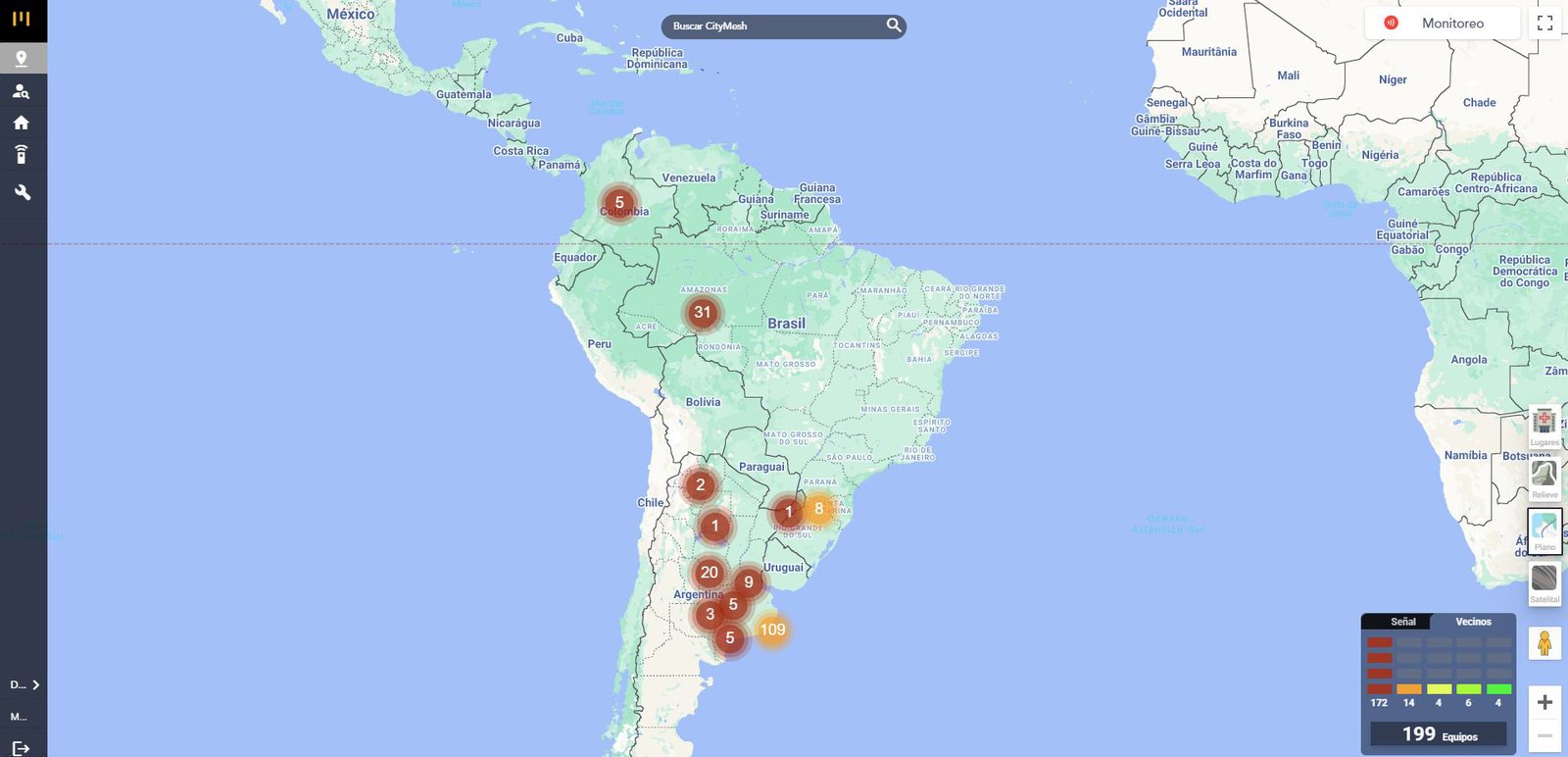
Your entire network, in real time
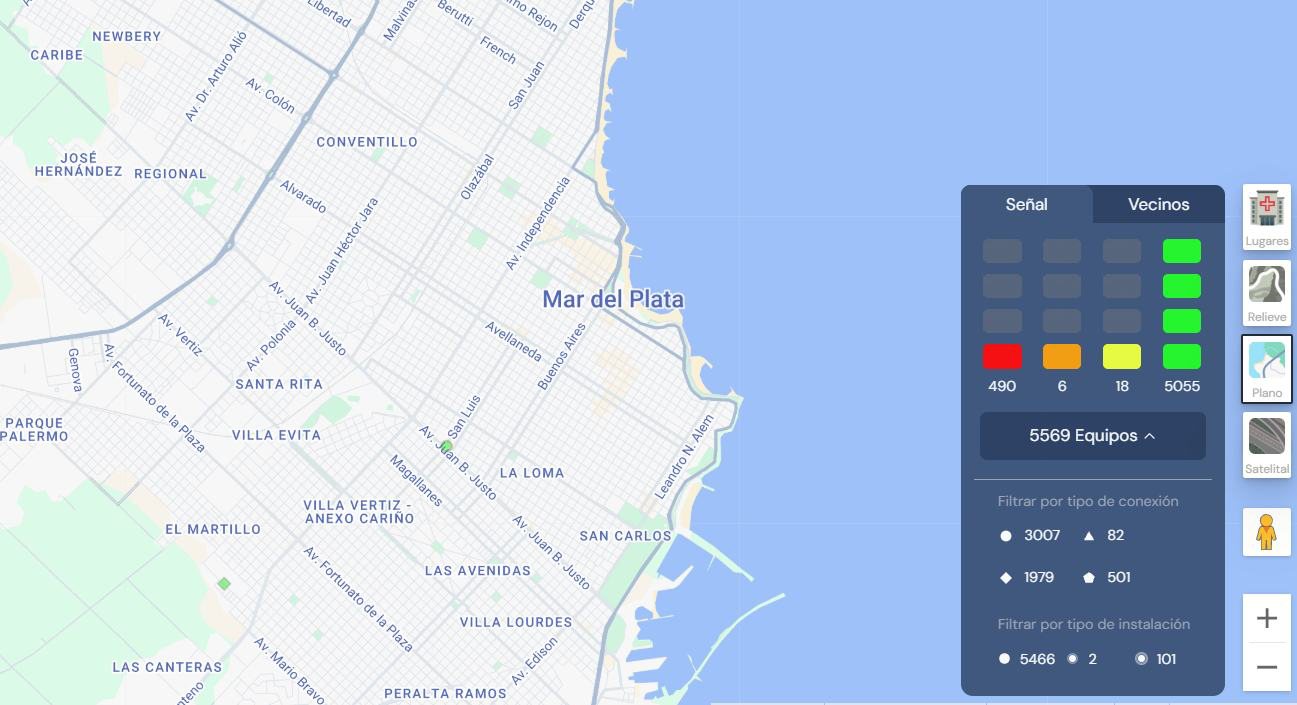
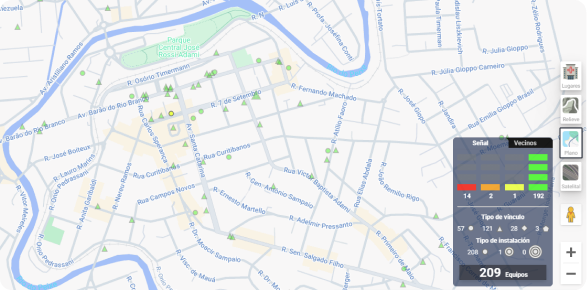
Devices are clustered on the map by status. Clusters are recalculated as you zoom in or out, and their color comes from the tests run in the last hour: green when everything responds and red when there are disconnected devices, which carry the most weight.
- By link type: circle for Mesh, triangle for Wi‑Fi or Ethernet, diamond for cellular, and pentagon for cellular plus Wi‑Fi.
- By installation type: indoor, outdoor below 10 m, or outdoor at height.
- Always up to date: tests refresh every 5 minutes, and link-type filters can be combined.
See how your devices connect to each other
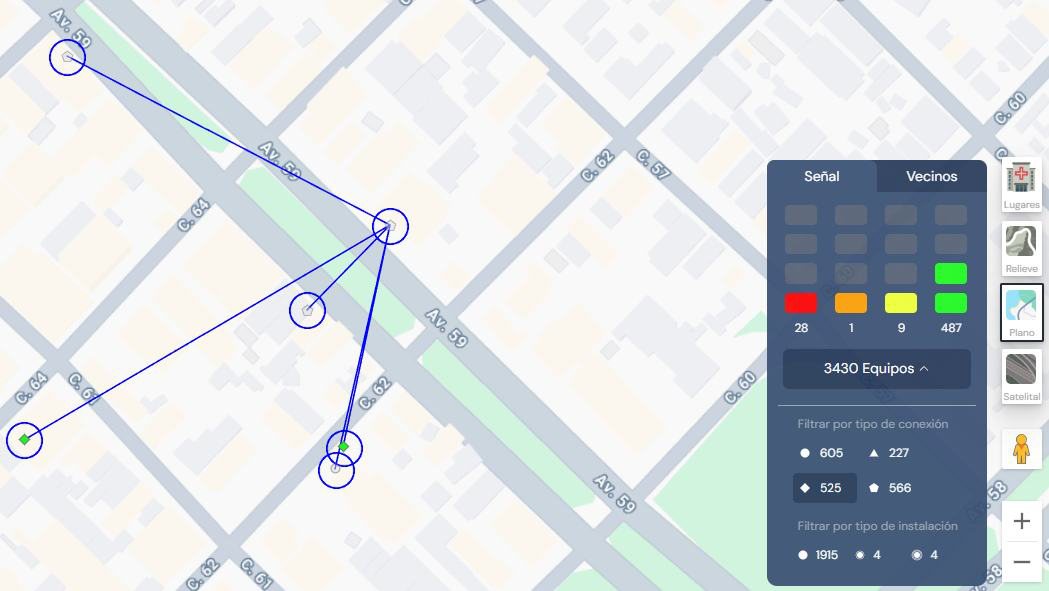
In the neighbors tab, each device is colored by the number of Mesh links it has: green for three or more, light green for two, yellow for one, orange for no neighbors, and brown if it's disconnected.
Select a device and tap the eye icon, and the map draws its links to its neighbors. If the installation has changed, just restart the panel to refresh them.
From the map to the exact street
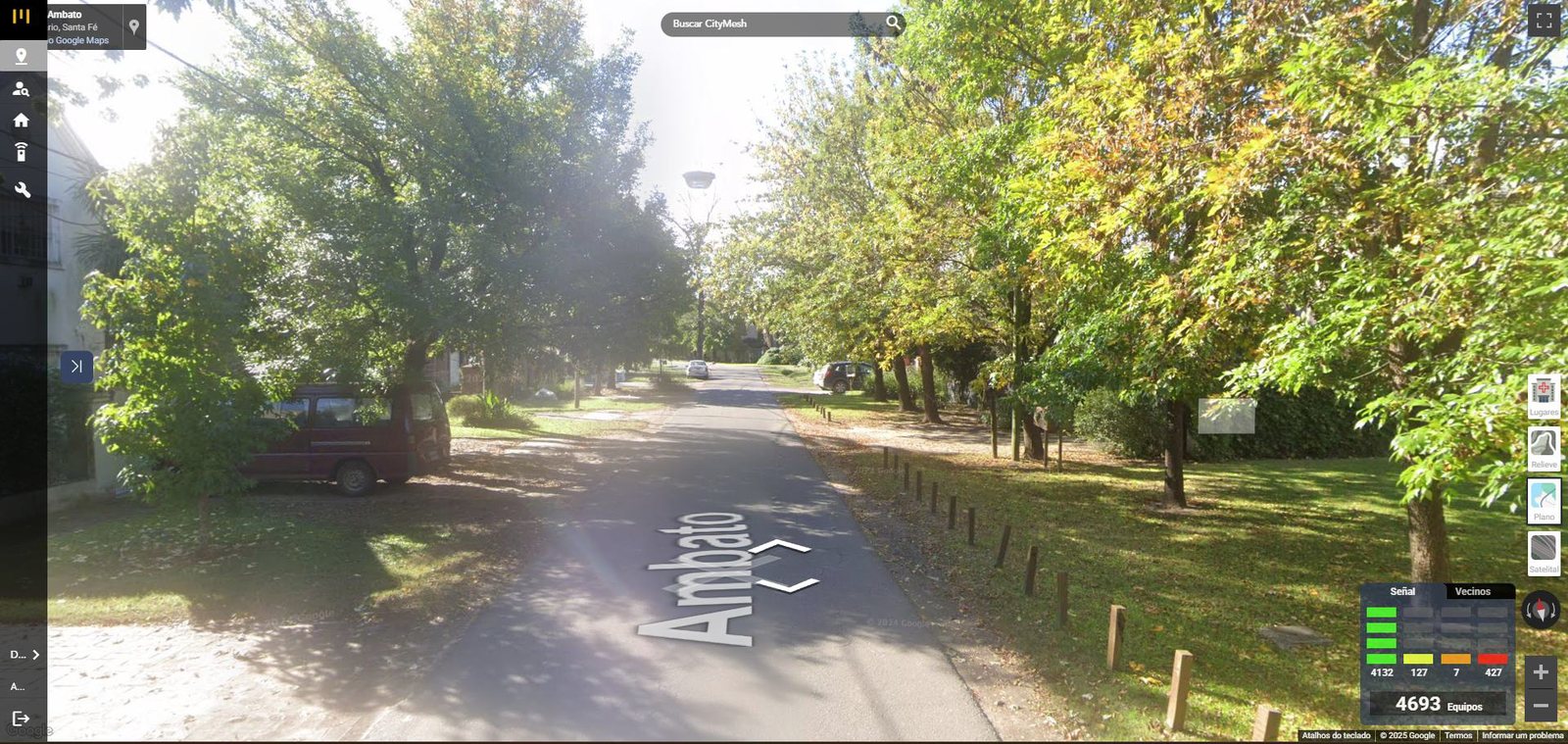
Choose the view you need at any moment: standard, without place markers; terrain, ideal for devices installed at height; flat, for clear tracking; or Street View, to see the exact street where the device is located.
Always know whether your receiver is connected
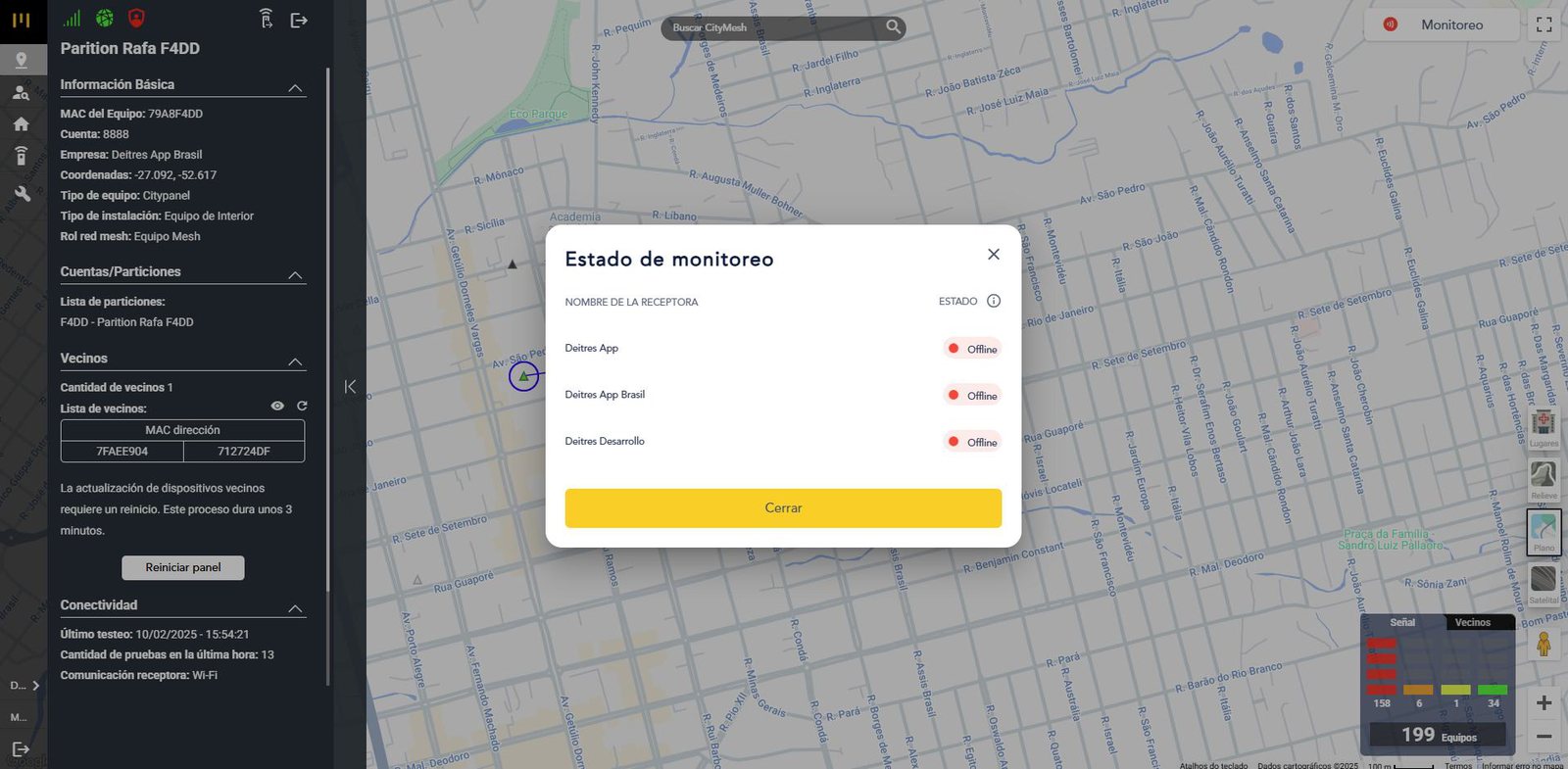
In the top-right corner of the platform, you can see the status of each CityMesh receiver. The receiver reports its connection every 5 minutes:
- Active: it's transmitting events to your monitoring software.
- Inactive: the monitoring software isn't connected to the receiver.
- Offline: it hasn't reported in the last 5 minutes and needs attention.
Users, partitions, and panels
Create end customers and technicians, set up partitions, and get everything ready for the technician to install the panel with the App. Users and partitions can be edited, temporarily disabled, and deleted.
- Create the technician userThis is the person who will install the panel with the CityMesh App.
- Create the end usersWith a name and email. The password is generated automatically and sent by email; on first sign-in, the App asks them to change it.
- Create the partitionWith a name, address, and account number, then associate the end users with it. You can enable technical support and leave notes.
- Install the panelThe panel shows up on the platform automatically when it reports for the first time.
All your devices in one list
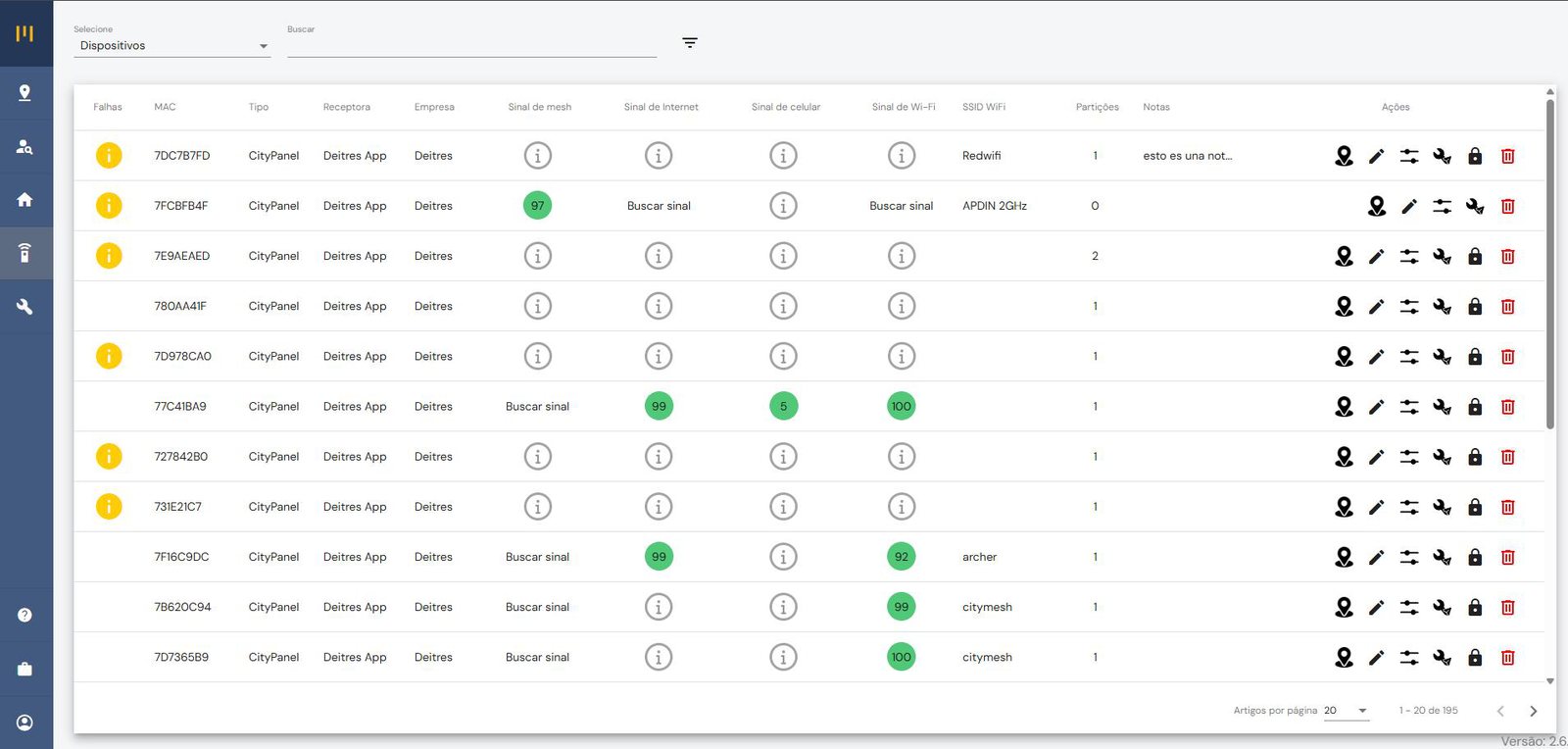
Review faults and signal for each device over Mesh, internet, cellular, and Wi‑Fi at a glance. From the same list, you can edit the panel information, locate it on the map, use the virtual keypad, turn on installation mode, or send it to support.
Fix issues without a site visit
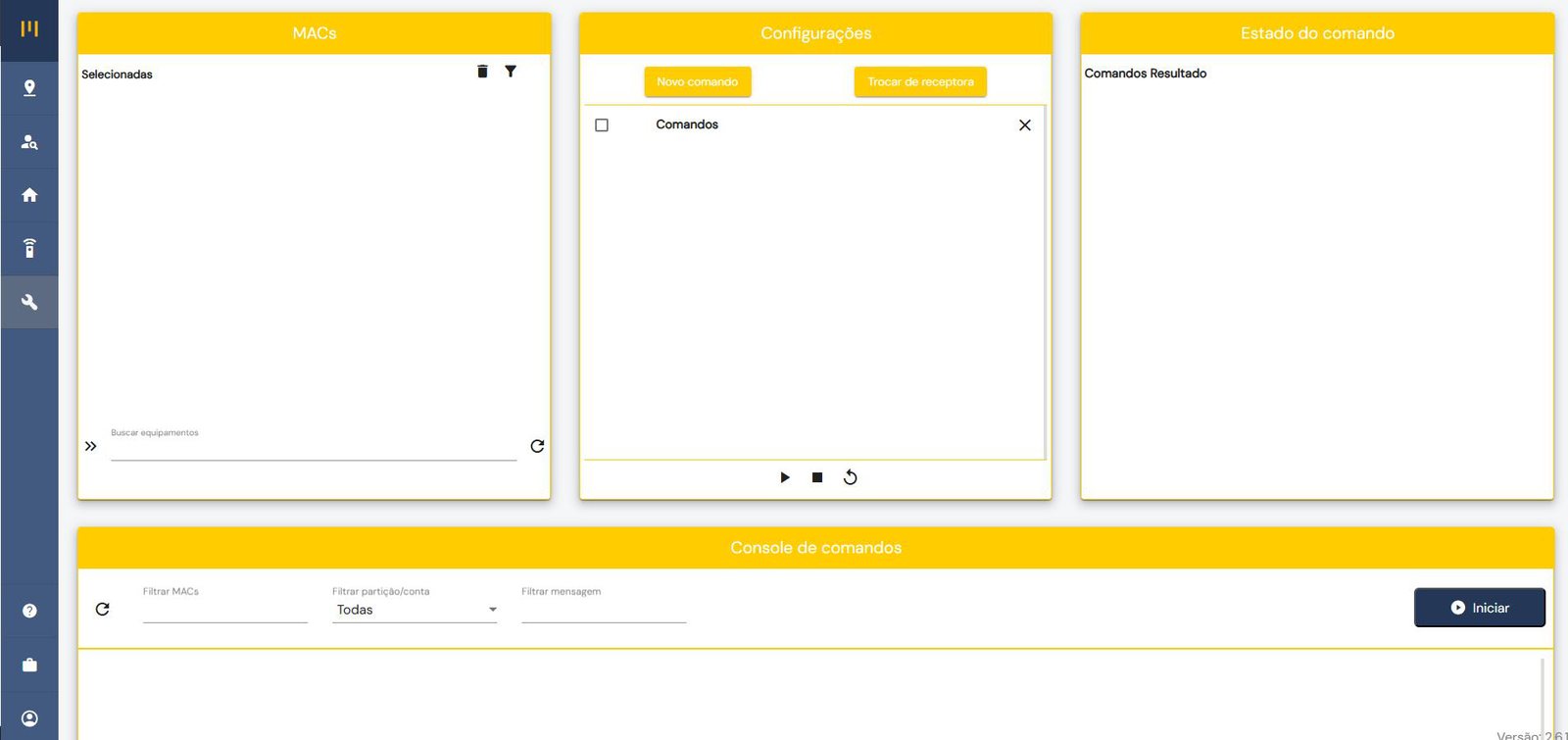
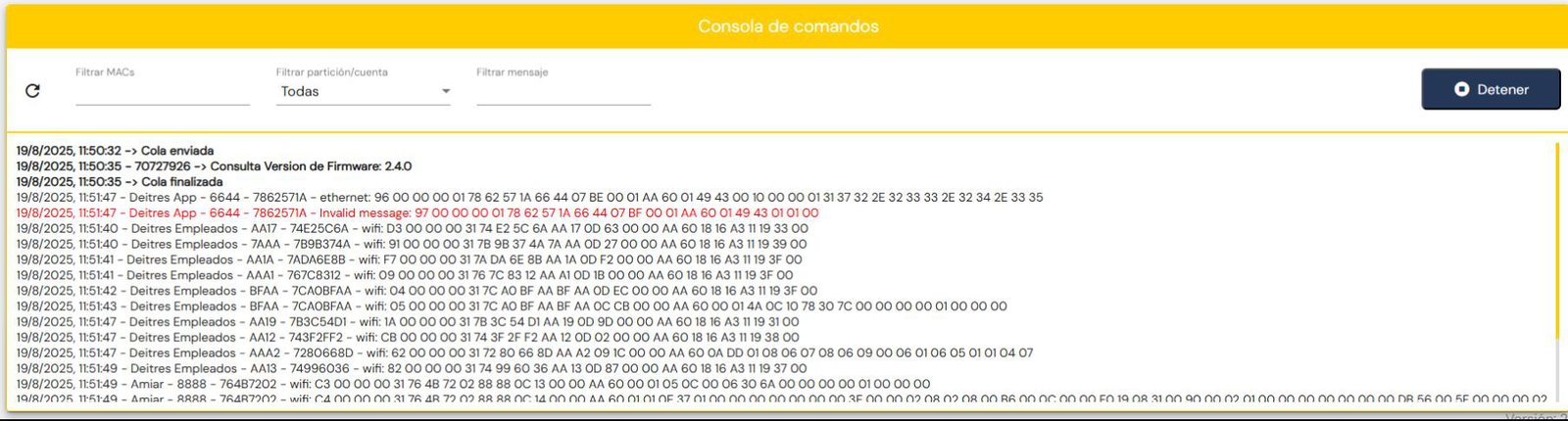
Send commands to one or several devices at once and track their status on screen. The console shows the messages flowing through your account's devices in real time, with filters by MAC, partition, or message, so you can spot faults across the entire network.
Your app, with your logo and your colors
Administrators update company and receiver details, manage who can access the platform, and change the logo and colors their customers see in the app. If you're a dealer, you also get the company filter to work with each of your networks.

Set up Kairon from the platform
Turning on “AI - Kairon” in Settings enables two features:
- Mass power outage: when several devices in the same area report a power failure within a few seconds, your monitoring software receives an auto-handled event and the operator doesn't waste time. The radius and the Contact ID code are fully configurable.
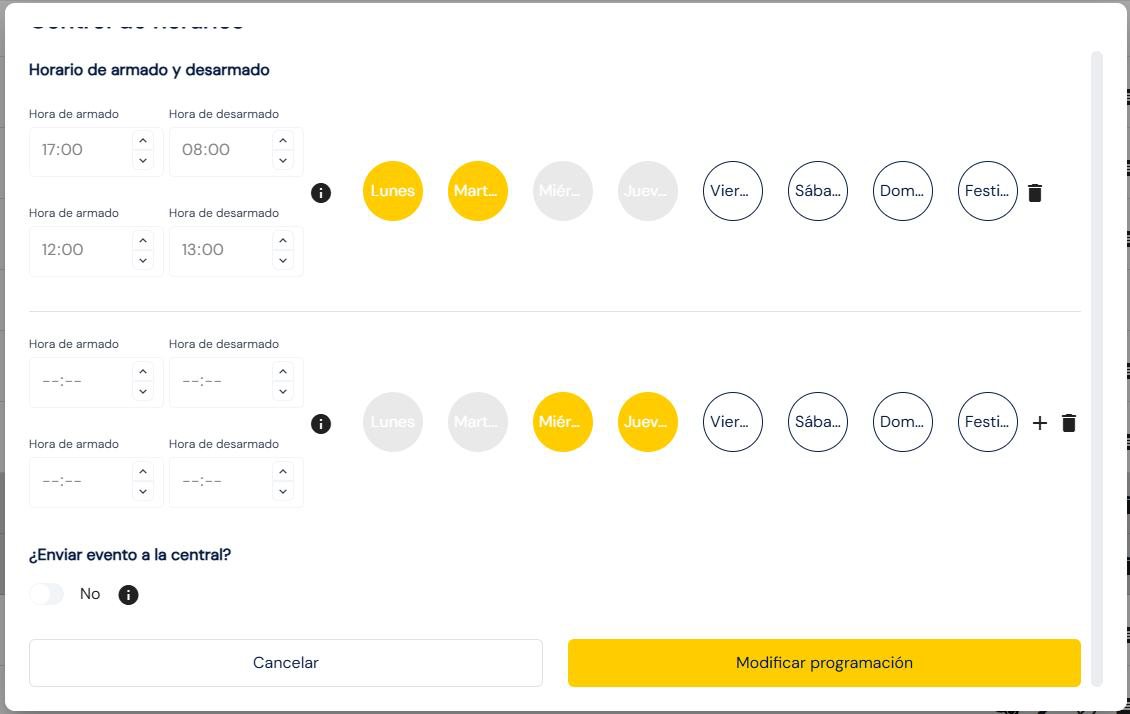
- Schedule control: set up to four arming and disarming times per day. If the customer doesn't comply, Kairon sends them WhatsApp reminders, with the grace period and frequency you choose.
- Event sent to the monitoring center: if the customer prefers to talk to a person, the monitoring center receives a service request event so it can contact them.
Free of charge, since 2012
Deitres Cloud is included for every company that works with CityMesh, and it keeps adding new features.
Let's talk about your operation
Tell us what you need and a CityMesh advisor will get back to you shortly.